
Just hold up your phone.
See how it looks, before you buy it.
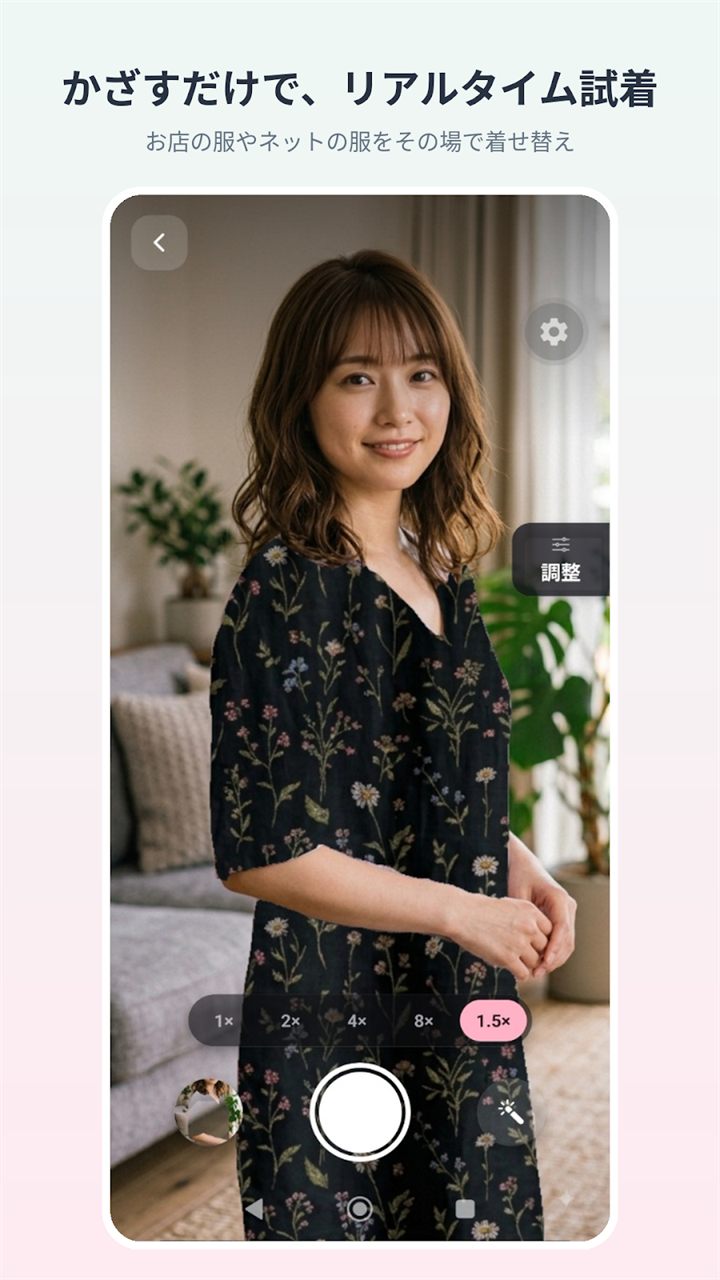
Kurinuki Try-On Camera is a camera app you try clothes on with by simply holding your phone up. It erases the clothing from a photo of yourself, leaving a transparent hole, so you see the real garment through it. Prepare the photo at home, then just hold it up to whatever catches your eye in the shop and shoot.

For Android · Free to start
Three steps
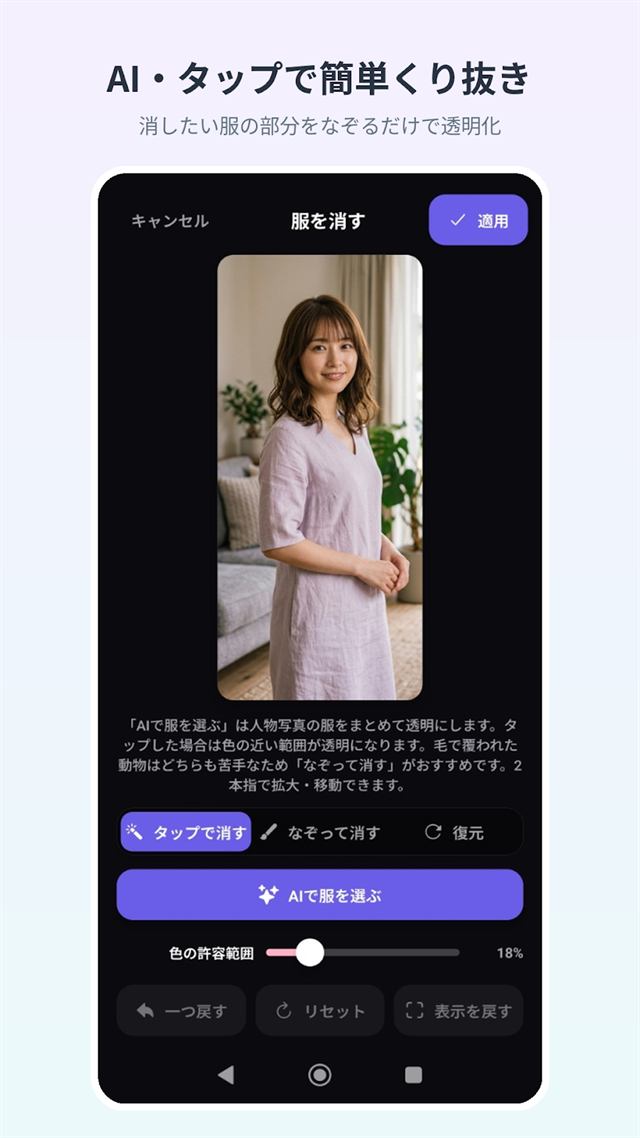
Erase the clothes
Pick a photo of yourself, then make the clothing transparent with AI or a tap.
Hold it up
Hold your phone up to the garment in the shop, lining it up with the transparent hole.
Shoot
Press the shutter, and you're left with a photo of the garment showing through the hole.
Cut it out at home. Try it on in the shop.
Cutting a garment out cleanly takes a moment of careful, unhurried work. That's why Kurinuki Try-On Camera saves your cutouts right on your device. Prepare one at home — cut it out and line it up — and the next time you open the app in the shop, "Continue where you left off" puts you right back there, ready to hold it up to the real thing. On a day you're comparing several outfits, having that prep already done makes trying each one that much lighter.
What it can do
Real-time try-on, just by holding it up
The live camera shows through the transparent hole. Drag to move it, pinch with two fingers to rotate and resize.
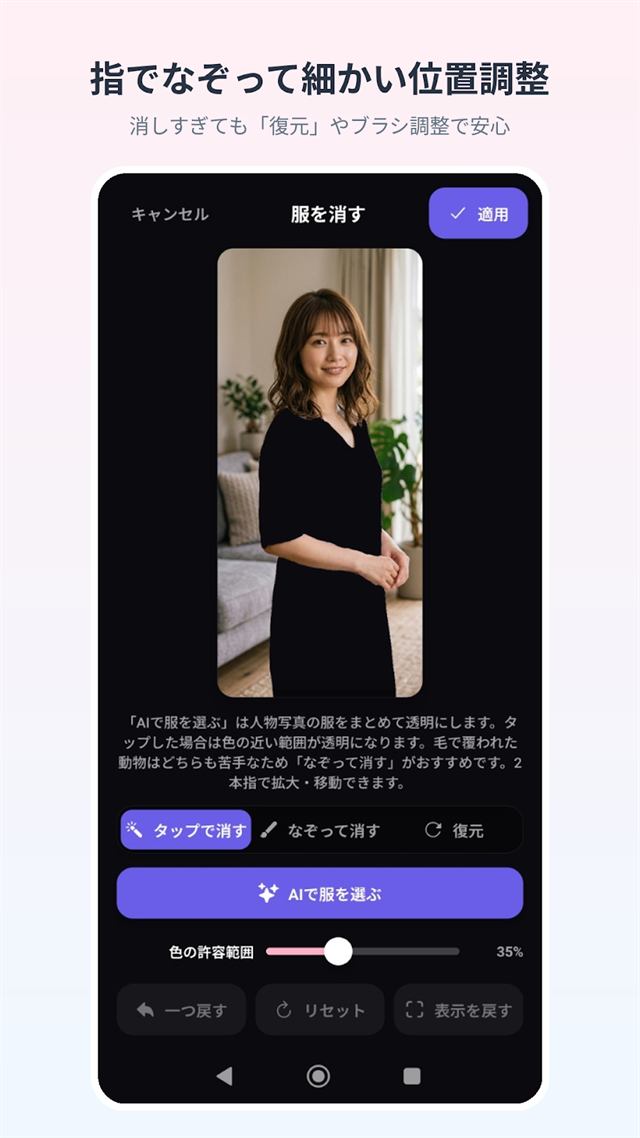
An easy cutout, with four tools
"Auto-select the clothes" does it in one press; for the details, tap, trace, or restore what you erased. Erase too much and you can always bring it back.
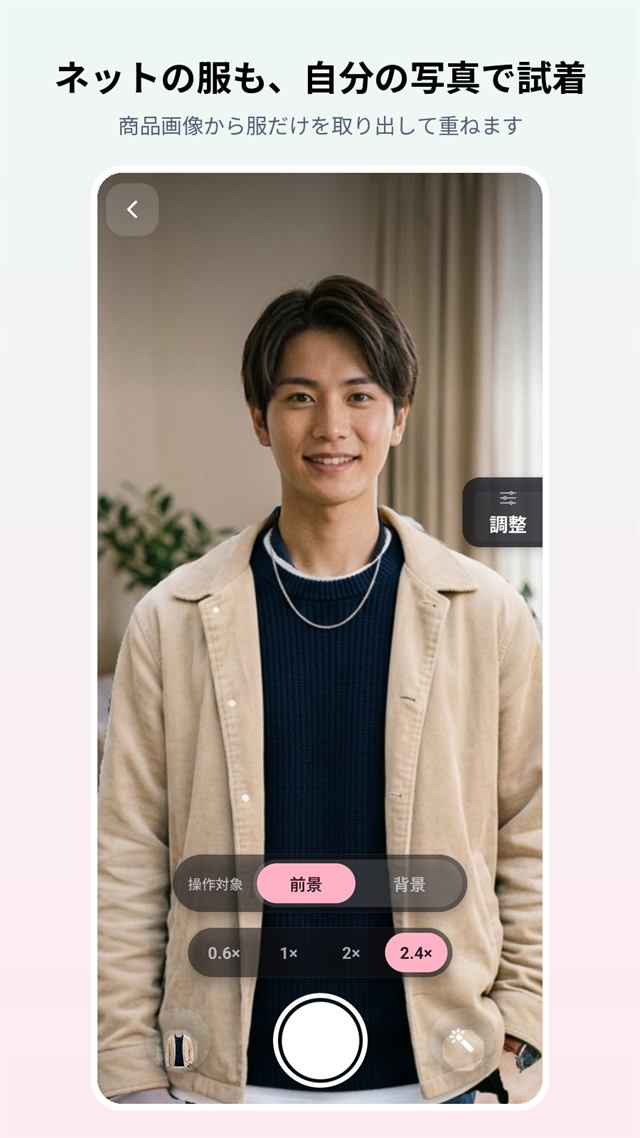
Try on clothes found online, too
Pull just the clothing out of a product photo and lay it over your own photo (works best with a photo of a model wearing the item). See the steps for trying on clothes online.
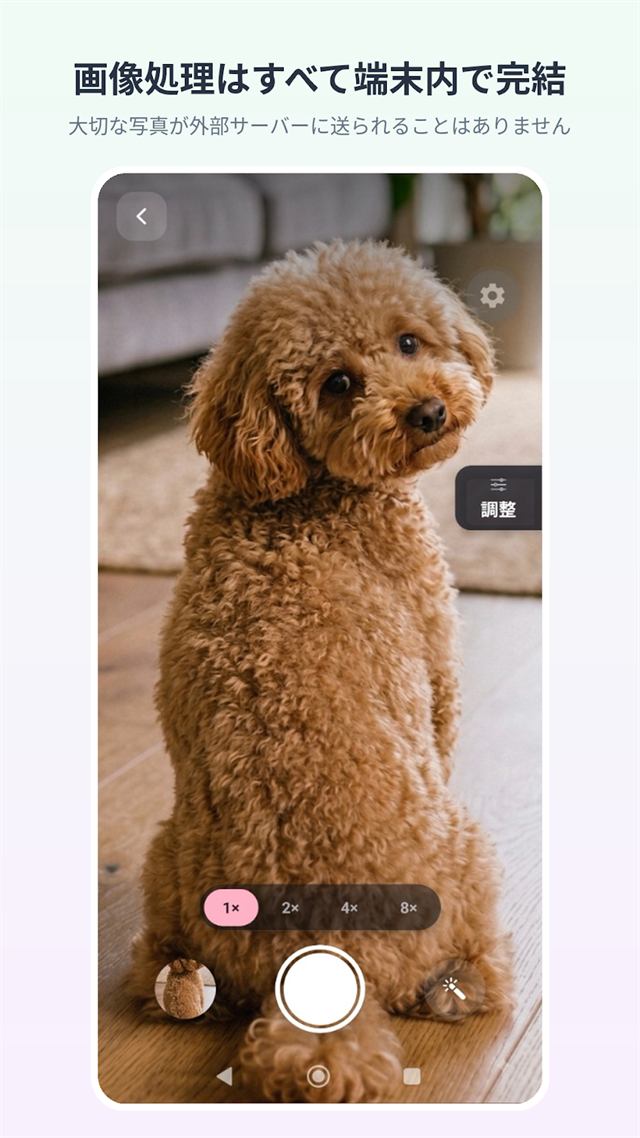
Everything stays on your device
Neither your photos nor the edited images ever leave your device. The only network use is to show ads.
For a day of comparing outfits
- Add a note after each shotJot down the shop, price and size. They go into the photo's file name too, so it's easy to find later.
- Compare in the Try-on logLine up 2–4 saved shots side by side, at the same size.
- Name your cutouts, pin favouritesGive saved cutouts a name, and pin the ones you use most to the top with a star.
- Match the shop's lightingTint the backdrop cooler or warmer. It works on the live camera, too.
- Fix the backdrop's orientationRotate a still backdrop by 90° or mirror it.
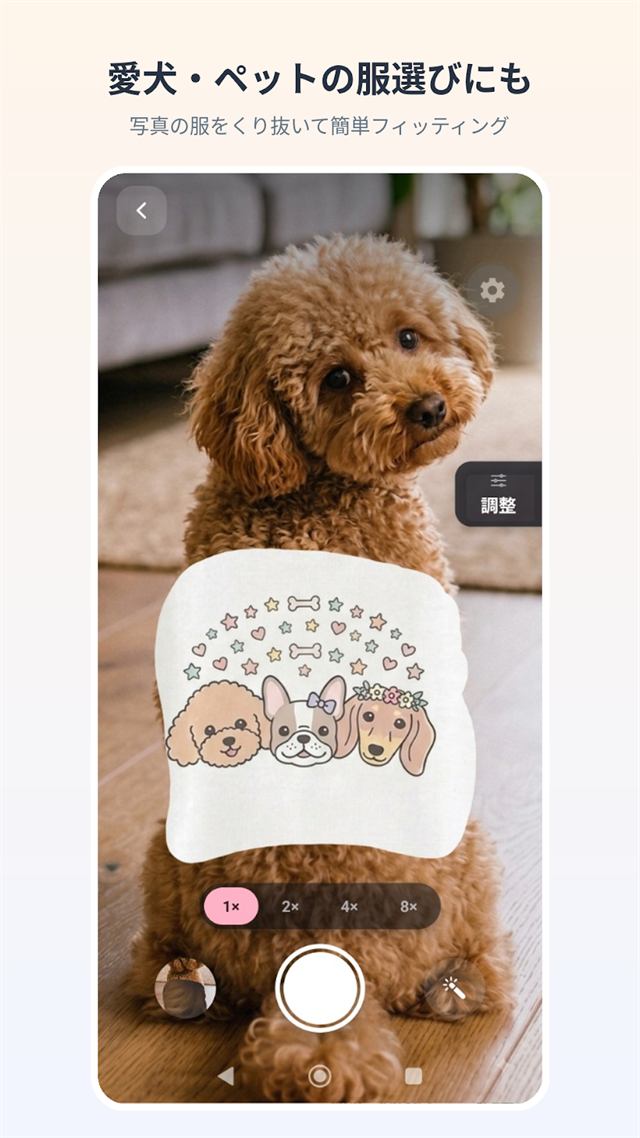
Great for choosing clothes for your dog or cat, too
You can try this with a photo of your dog or cat as well. For the furry parts, "Trace to erase" is the tool to reach for.
Your photos never leave your device
- All photo editing and compositing happens on your device. Photos you shoot or pick, and the images you create from them, are never sent to a server.
- The only network activity the app has is for showing ads. It doesn't use any analytics or crash-reporting service.
- There's no account and no login.
- It's free to use, supported by the ads you see.
Give it a try at home first — just one outfit
For Android · Free to start · a limited number of free AI selections plus video ads in-app